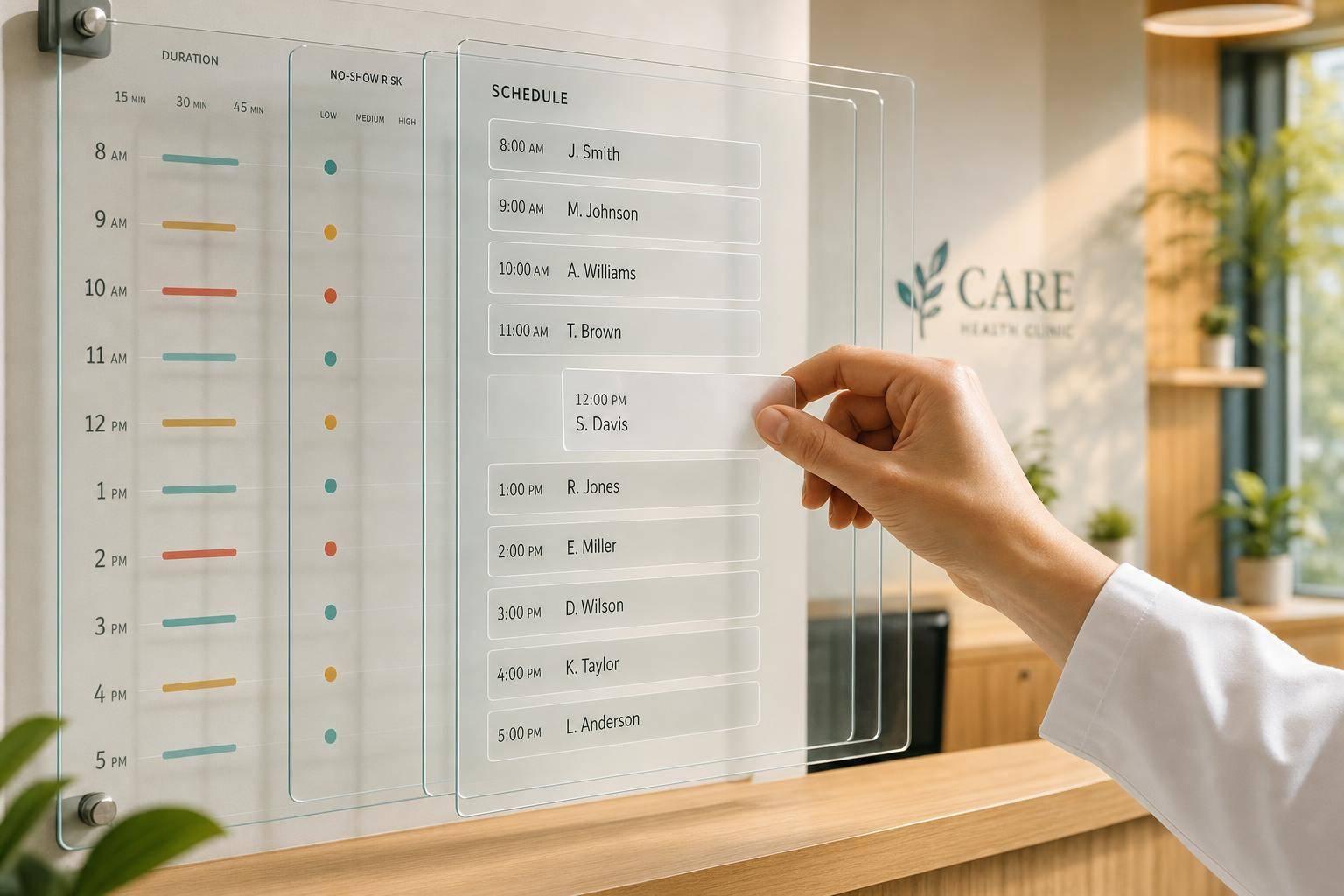

Scheduling gets better when I use patient data to decide who gets booked, when, and for how long. That means tracking no-shows, visit length, fill rate, reminders, and repeat-visit demand, then using those numbers to shape the calendar.
Here’s the short version:
- I set clear goals first, like lowering no-shows, improving fill rate, and increasing revenue per booked hour.
- I focus on the patient data that changes scheduling decisions, such as:
- appointment history
- no-show and cancellation history
- treatment plans
- membership status
- communication preferences
- provider match
- I review 3 to 6 months of data to find patterns by provider, day, time block, and visit type.
- I compare scheduled time vs. actual visit time so I stop underbooking or overbooking services.
- I pre-book recurring visits for memberships and treatment plans so repeat care doesn’t get squeezed out.
- I group patients by no-show risk and change reminders, deposits, and slot placement based on that risk.
- I review results every month and test one calendar change at a time.
A few numbers show why this matters:
- No-shows can take up 14% of appointment slots
- Many practices aim for 85% to 90% utilization
- A no-show rate under 8% is often a good target
- Missed visits can cost $150 to $300 per slot
- SMS open rates can reach 97%
- 89% of patients prefer rescheduling by text
In other words: I don’t need a new scheduling theory. I need to use the patient and booking data I already have to make the schedule tighter, steadier, and easier to run.
If I want a smarter calendar, I start with the numbers, not guesswork.

Patient Scheduling by the Numbers: Key Metrics Every Practice Should Track
Map Your Current Workflow and Pull the Right Scheduling Metrics
Start by mapping the patient journey from first contact all the way to rebooking. You’re looking for the spots where scheduling data exists, but no one uses it. That’s often where booking decisions start to slip.
Document Each Step from Booking to Follow-Up
Sit down with your scheduling team and walk through the process step by step. Document:
- who books the visit
- how slot length gets picked
- when reminders go out
- what happens after a cancellation
- how follow-up visits are offered
This gives you a clear picture of how the process works in practice, not just how it’s supposed to work on paper.
Track the Metrics That Reveal Scheduling Problems
After you map the workflow, pull 3–6 months of scheduling data. That time frame is long enough to show patterns, but short enough that seasonality doesn’t muddy the view.
Track these metrics:
| Metric | What It Tells You |
|---|---|
| No-show and cancellation rate (by appointment type, provider, day, and time block) | Shows which slots and visit types carry the most risk |
| Actual vs. scheduled visit length | Shows where appointment types keep running over and causing backlogs |
| Utilization rate | Actual patient visit time ÷ total available provider time × 100 |
| Third next available appointment | Shows true patient access and where bottlenecks are starting to form |
| Revenue and duration by appointment type | Helps you compare the time given to each visit type against the revenue it brings in |
A healthy practice usually aims for a utilization rate of 85%–90% and a no-show rate under 8%. If your numbers land outside those ranges, the issue often clusters around one provider, one day, or one service type.
No-show rates also shift a lot by appointment type. New patients often no-show at 15%–25%, while same-day appointments tend to stay under 5%. That kind of breakdown shows you where to start first instead of guessing.
Use what you find to tighten appointment lengths and block recurring visits with more precision.
Use Integrated Reporting Instead of Manual Spreadsheets
Manual spreadsheets drag down reporting and can add compliance risk. A connected system can show utilization, no-show trends, and appointment-type performance automatically, without making your team bounce between tabs.
Keep booking, reminder, and outcome data in one reporting view. Prospyr centralizes CRM/EMR, scheduling, digital intake, email and SMS communication, and practice analytics in one HIPAA-compliant platform. That keeps scheduling data connected from booking through reporting, so your team can review trends without manual exports.
sbb-itb-02f5876
Use Patient History to Build Better Schedule Templates
Use the patterns in your utilization data and visit-length data to build a schedule that fits how demand shows up. A fixed template, where every slot is the same length, usually doesn't line up with how patients book or how services play out in practice.
Match Appointment Lengths to Actual Procedure Times
Use actual duration data to set slot lengths for each service. When a visit type keeps taking longer than the template allows, that extra time spills into the rest of the day.
Monday mornings may run at about 95% utilization, while Friday afternoons can drop to around 60%. That kind of pattern gives you a clear way to shape the day: put complex consults in the morning, procedures around mid-day, and follow-ups in the afternoon. It also helps to leave 10–15 minute buffers between appointment blocks.
Segment Patients by Booking Behavior and Care Needs
Once slot lengths match the service, use patient history to decide which patients fit into each block. A simple way to segment bookings by visit type looks like this:
- New patients: longer consult slots
- Routine follow-ups: standard slots
- Complex visits: extra time
- Membership/treatment-plan visits: recurring slots
This same history data can also help protect repeat visits so they don't get squeezed out when the schedule fills up.
Pre-Block Recurring Visits from Treatment Plans and Memberships
Membership and treatment-plan visits are the easiest group to plan for because their timing is already set. That makes them the simplest visits to place on the calendar before the next appointment comes due. Pre-blocking them helps keep recurring visits from getting pushed aside and lines up the schedule with demand you already know is coming.
Prospyr can automate recurring scheduling, treatment-plan follow-ups, and membership-based bookings.
Reduce No-Shows with Risk-Based Scheduling and Reminders
Once the schedule is set, use patient history to help keep it intact. The national average no-show rate for medical practices is 18% to 25%, and each missed appointment usually costs a practice $150 to $300 in lost revenue. The good news is that you likely already have much of the data you need. Patient history, paired with booking lead time and cancellation patterns from your reporting step, can show where no-show risk is building. So risk-based scheduling isn't a separate system. It's the next move.
Group Patients by Cancellation and No-Show History
The point here is simple: swap gut instinct for clear rules. Review each patient's record and focus on three signals:
- How often they've missed visits or canceled the same day
- Whether they ignored past reminders
- How far ahead they tend to book
Appointments booked more than 30 days in advance come with a higher no-show risk.
From there, assign each patient a risk level:
| Risk Level | Risk Score | Intervention Strategy |
|---|---|---|
| Low | 0–30% | Standard confirmation text 48 hours before the visit |
| Medium | 30–60% | Three-step reminder sequence: SMS (72h), email (48h), SMS with reschedule link (24h) |
| High | 60%+ | Personal phone call 72 hours before the visit, deposit requirement, placement in slots that are easier to refill |
Adjust Deposits, Slot Placement, and Reminder Timing by Risk Level
Use that risk level to guide slot placement, deposit rules, and reminder timing. High-risk appointments belong in midday slots because those are easier to backfill from a waitlist if the patient cancels at the last minute.
For medium- and high-risk patients, add a one-tap rescheduling link to every reminder. If it takes less effort to reschedule than to disappear, more people will switch instead of no-showing. That matters because 89% of patients prefer the ability to reschedule via text. Deposits and cancellation rules should also kick in at the same high-risk threshold every time, not only when a staff member feels like using them.
Send Reminders Through Each Patient's Preferred Channel
Next, match the reminder channel to the patient's past behavior. SMS has a 97% open rate, and most messages are read within three minutes. Email works better for some patients. Others won't act unless someone calls them.
There's also a big difference between sending a reminder and starting a reply. Two-way text reminders increase appointment confirmation rates by 45% compared to one-way messages. That's why reminder history matters. It helps you pick the channel that gets a response, not just a delivery.
Review Results Monthly and Keep Improving the Schedule
Build a Simple Dashboard Your Team Reviews Every Month
Once your risk-based rules and reminders are live, the next step is simple: check the numbers every month.
Use monthly reporting to see if those changes are helping your schedule perform better. Look at the same booking, reminder, and duration data each month so you can spot what's working and what's not.
Track these six metrics every month:
| Metric | What It Tells You |
|---|---|
| Fill rate | Percentage of available slots that were filled |
| No-show rate | Share of appointments where the patient doesn't show |
| Late-cancel rate | Cancellations received with less than 24 hours' notice |
| Wait time for preferred provider | How long patients wait to see the provider they requested |
| Revenue per slot | How much revenue each appointment slot generates |
| Scheduled vs. actual duration | How closely scheduled lengths match actual procedure times |
These numbers tell you if patient history, reminders, and appointment timing are making the schedule better in practice, not just on paper.
Test Small Scheduling Changes and Keep Only What Works
When your dashboard points to a weak spot, test one fix at a time.
That part matters. If you change too many scheduling variables at once, you'll see movement in the results but won't know what caused it. It's like changing the recipe, oven temp, and bake time all at once, then trying to guess why the cake came out better, or worse.
Instead, adjust a single variable, such as:
- a consult block
- staggered start times
- same-day slots held until midmorning, then released automatically to the waitlist
Run each change for 30 days. Then compare those results with the previous 30 days. If the numbers improve, keep the change. If they don't, roll it back and test something else.
That gives your team a simple rule for decision-making. Small tests turn scheduling from guesswork into a repeatable, data-driven process.
Conclusion: Use Patient Data to Make Scheduling More Predictable and Profitable
The steps in this guide build on each other. Start with clear goals and identify the data points that affect booking decisions. Map your current workflow and pull the metrics that show where time and revenue are slipping. Use patient history to shape schedule templates, set better appointment lengths, and pre-block repeat visits. Then add risk-based rules and targeted reminders to protect the slots you've worked to fill. After that, review results each month and test changes one at a time.
You don't need a complicated setup to do this well. But you do need your scheduling, patient records, and reporting tools to work together. For U.S. aesthetics and wellness clinics, Prospyr brings that into one HIPAA-compliant system, with integrated CRM/EMR, real-time practice analytics, AI booking tools, and automated SMS/email communication. When your data sits in one place, the monthly review becomes a quick team check-in instead of a manual project, and smarter scheduling becomes part of your normal process.
FAQs
How do I start using patient data if my reporting is messy?
Start with a 30-day review of your current scheduling process. The goal is simple: spot bottlenecks, busy hours, and resource gaps before they turn into bigger problems.
Look closely at appointment use, no-show rates, and wait times by provider and time block. That kind of audit can show you hidden capacity you might otherwise miss.
Then pull your data into one centralized, HIPAA-compliant practice management platform like Prospyr. With everything in one place, you can track key metrics automatically and use AI tools to spot patterns and improve scheduling.
Which scheduling metrics matter most for a small clinic?
Focus on five key metrics: utilization rate - with a target of 90% to 95% of slots filled - no-show rate, rebooking percentage, average appointment length by treatment, and provider capacity use.
These numbers show you what’s working and where the schedule starts to break down. They can help you improve patient flow, keep schedule templates realistic, balance workloads across your team, and bring in more revenue. Prospyr supports this with integrated analytics and HIPAA-compliant practice management tools.
How often should I update my schedule template?
Review your scheduling template at the start of each week. That quick check can help you spot patterns early, like overloaded providers, long appointment blocks, no-show clusters, and gaps in room use.
It also helps to set aside time for a deeper review of your scheduling data on a regular basis. Look at utilization trends and how each template is performing so you can keep day-to-day operations running smoothly as your practice grows.