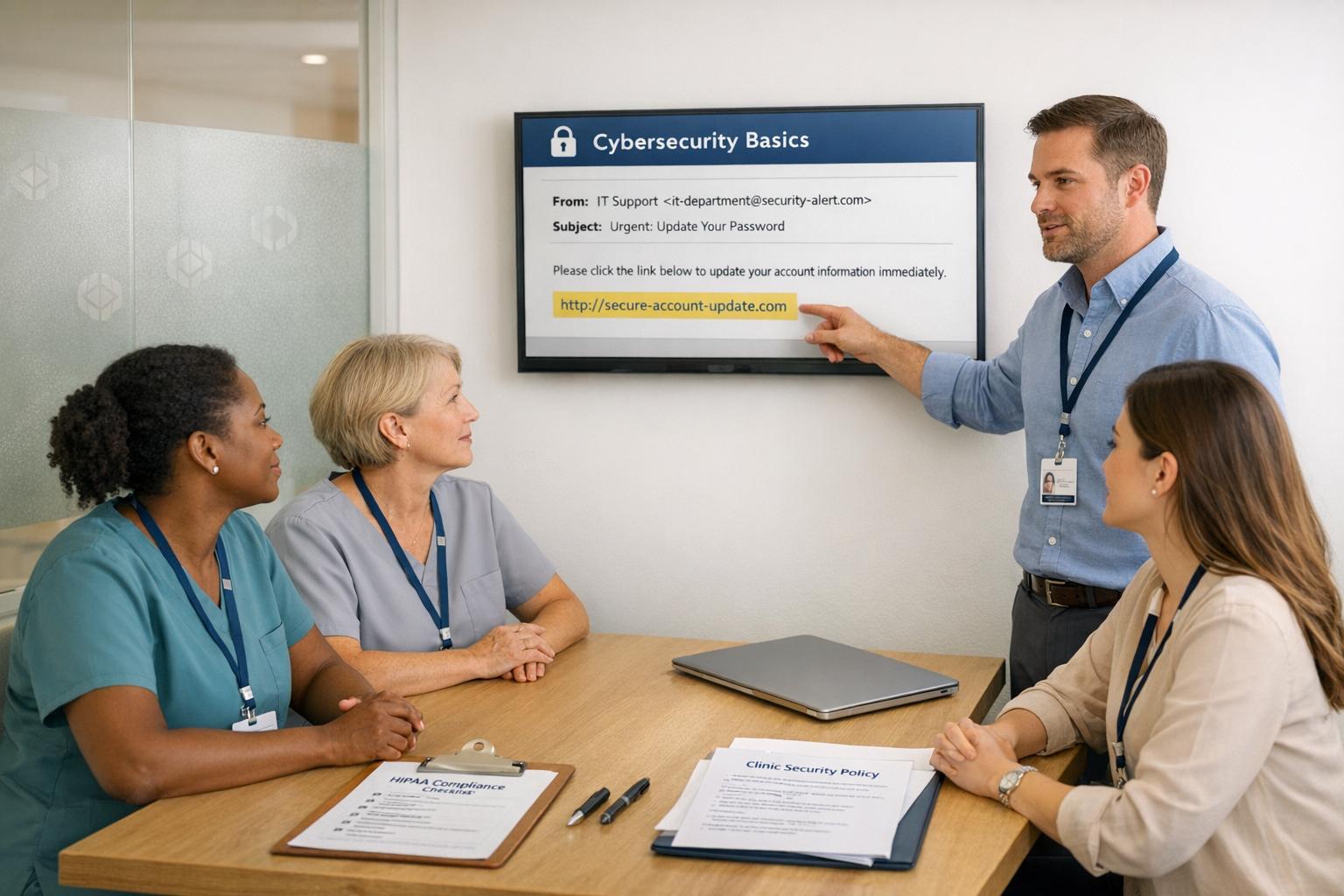

Cybersecurity is a growing concern for clinics handling sensitive patient data like health records and payment details. With 88% of healthcare breaches caused by employee mistakes and healthcare data breaches costing an average of $10.93 million in 2025, training your staff is no longer optional - it’s essential.
To safeguard your clinic:
- Assess risks: Identify where patient data is stored and the vulnerabilities tied to each role.
- Set policies: Document clear rules for access, data handling, and incident responses.
- Deliver role-specific training: Tailor lessons to risks specific to clinical, admin, and IT staff.
- Monitor progress: Use phishing simulations and track metrics like click rates and reporting time.
- Stay up to date: Update training regularly to address emerging threats like deepfakes and QR code phishing.
Training isn’t a one-time task - it’s an ongoing process to build secure habits. This guide walks you through actionable steps to protect your clinic and meet compliance standards.

5-Step Cybersecurity Training Plan for Healthcare Clinics
Step 1: Assess Your Clinic's Cybersecurity Needs
Before diving into training, it's important to understand what you're protecting and where your clinic is most vulnerable. Skipping this step could lead to a generic training program that doesn’t address your clinic’s specific challenges.
Identify Key Assets to Protect
Start by creating a detailed map of every location where patient data resides. This isn’t limited to your electronic health records (EHR) system. Consider cloud storage platforms, staff mobile devices, third-party billing services, scheduling portals, and any software tools linked to your practice management system. Any vendor accessing patient data is an asset that needs safeguarding.
Next, categorize the types of data you handle and determine what qualifies as Protected Health Information (PHI). Not all data is immediately obvious as PHI. For instance, a patient’s name alone isn’t PHI, but when paired with a treatment type or linked to a before-and-after photo, it becomes identifiable health information.
| Information Type | PHI? |
|---|---|
| Patient name + treatment type | Yes - individually identifiable |
| Before-and-after photos linked to a record | Yes |
| Medical intake forms / health histories | Yes |
| Payment data linked to a specific treatment | Yes |
| Patient name alone | No |
| Credit card number alone | No - PCI data, not PHI |
Once you’ve identified where PHI is stored, assign a risk level to each asset. Why? A stolen medical record can fetch $250 to $1,000 on the dark web, compared to just $5 to $110 for a stolen credit card number. This stark difference highlights why clinics are prime targets and underscores the importance of focusing on high-risk assets.
"The risk analysis is the cornerstone of Security Rule compliance." - medcomply.ai
With a clear understanding of asset risks, you can now tailor training to address the specific threats faced by different roles.
Determine Training Needs by Role
Not everyone in your clinic faces the same cybersecurity threats, so a one-size-fits-all training approach won’t cut it. Match each role to the data they handle and identify the risks associated with their access.
For example, front desk staff are often targeted by social engineering tactics, such as callers impersonating insurers or family members to extract sensitive information. Billing teams are common victims of Business Email Compromise (BEC) scams, which aim to divert payments or access claims data. Clinical providers, who often work under time pressures, are prime targets for phishing attempts aimed at stealing EHR credentials. And new hires are particularly vulnerable because they’re still learning your clinic’s security protocols.
| Staff Role | Primary Risk | Training Focus |
|---|---|---|
| Clinical (providers, nurses) | Credential phishing, shared workstations | EHR login accountability, workstation locking |
| Front Desk / Admin | Social engineering, tailgating | Phone verification protocols, physical security |
| Billing / Finance | BEC, invoice fraud, wire redirect scams | Spotting fraudulent invoices, payment verification |
| IT / Management | Privileged credential theft, compliance gaps | Audit log monitoring, breach notification timelines |
This tailored approach not only strengthens your clinic’s defenses but also aligns with HIPAA’s "minimum necessary" standard, which limits access to essential data. For instance, a front desk coordinator needs access to scheduling tools but doesn’t require full access to clinical histories. Additionally, HIPAA requires that security policies, risk analyses, and training records be documented and retained for at least six years.
sbb-itb-02f5876
Step 2: Develop Clear Cybersecurity Policies
Once you've determined your clinic's risk profile and identified training needs for various roles, the next step is creating well-documented cybersecurity policies. Verbal agreements won't cut it - written policies not only guide your team but also serve as protection during OCR audits.
Key Components of Effective Policies
A strong policy should have a clear structure: a purpose statement, defined scope, specific rules, roles and responsibilities, a process for handling exceptions, and a review timeline. As CyberPolicify explains: "Policies say what must happen. Procedures say how to do it." This distinction is critical - policies set the framework, while procedures and training provide the "how-to."
Here’s a breakdown of the five essential policy types every clinic should establish, along with what they should cover:
| Policy Type | Core Components to Include |
|---|---|
| Access Control | Role-based access control (RBAC), unique user IDs, multi-factor authentication (MFA), session timeouts |
| Acceptable Use | Rules for personal devices, prohibited websites, email best practices |
| Incident Response | Reporting hierarchy, 72-hour notification triggers, containment procedures |
| Data Handling | Encryption standards, secure disposal methods (e.g., shredding, wiping), PHI classification |
| Contingency Plan | Data backups, disaster recovery steps, emergency mode operations |
When documenting policies, focus on current practices rather than aspirational goals - auditors see undocumented intentions as failures. For example, your access control policy should include practical steps like setting workstations to auto-lock after 15–30 minutes of inactivity.
Align Policies with U.S. Clinic Requirements
Your policies must comply with two key federal standards: the HIPAA Privacy Rule (45 CFR 164.530(b)), which governs how protected health information (PHI) is handled, and the HIPAA Security Rule (45 CFR 164.308), which addresses safeguards for electronic PHI (ePHI).
Recent updates to the Security Rule (effective 2026) make encryption of ePHI mandatory, both in transit and at rest. Previously categorized as "addressable", encryption is now required, eliminating the option to document exceptions. Similarly, Multi-Factor Authentication (MFA) is no longer optional for systems accessing ePHI. If your policies don't reflect these updates, your clinic is already out of compliance. A simple starting point: activate BitLocker (Windows) or FileVault (Mac) on all devices handling patient data - these built-in tools are free.
Even if you use a HIPAA-compliant platform like Prospyr for scheduling or patient communication, your clinic is still responsible for securing local networks, devices, and staff behavior. Remember, a vendor's compliance doesn’t automatically cover your clinic. Additionally, you’ll need signed Business Associate Agreements (BAAs) with all third-party vendors handling ePHI, such as billing services, cloud storage providers, and IT contractors.
Finally, keep all policy acknowledgments and training records for at least six years, as the OCR often requests these during audits and typically expects them within 10 business days.
"The fine was not for inadequate training. It was for inadequate documentation. That distinction is the one most clinics under-resource." - Colton Hibbert, Lead SEO Manager, Coggno
Step 3: Design a Practical Training Program
Once your policies and roles are documented, the next step is translating that framework into actionable training that sticks with your team. Cybersecurity training isn't a one-and-done process - awareness can fade in just a few weeks without consistent reinforcement. This program should take the policies you've outlined and turn them into practical, everyday habits for your staff.
Set Clear Training Objectives
Before diving into content creation, define measurable goals. Broad statements like "staff should be more security-aware" won't cut it. Instead, aim for clear benchmarks: reduce phishing simulation click rates to under 5%, ensure over 70% of staff report suspicious emails, and set a target time for reporting potential incidents. Start by running phishing simulations to establish a baseline, then track progress over time.
Choose the Right Training Formats
The format of your training is just as important as the material itself. In fast-paced clinical environments, short and focused sessions work best. Microlearning modules lasting 5 to 15 minutes are far more manageable than lengthy lectures. Combine these with a mix of monthly refreshers, quarterly deep dives, and an annual comprehensive policy review to keep cybersecurity awareness top-of-mind without overwhelming your team.
"If secure behavior is harder than insecure behavior, people will take shortcuts." - MedTech Consulting
For new hires, ensure they complete foundational training within two weeks to gain access to PHI systems. To encourage compliance, you can tie system access to training completion. For existing staff, set up automated micro-modules triggered by interactions with simulated phishing links.
Cover the Core Cybersecurity Topics
Your training program should address key cybersecurity topics, with content tailored to the needs of different roles. Spreading these topics out over the year helps prevent information overload. Here's an example of a monthly schedule:
| Month | Topic | Format |
|---|---|---|
| January | Phishing recognition | 10-min microlearning |
| February | Password & MFA best practices | 5-min video |
| March | Physical security & workstation locking | Team huddle/drill |
| April | Mobile device & telehealth security | 10-min microlearning |
| May | Social engineering (vishing, smishing, deepfakes) | Simulation exercise |
| June | HIPAA "Minimum Necessary" standard | 10-min microlearning |
| July | Incident reporting procedures | Tabletop exercise |
Certain topics demand extra focus due to emerging threats. For instance, vishing attacks surged in the first half of 2025. Similarly, deepfake simulations have become a genuine concern. In 2026, Mt. San Rafael Hospital used a deepfake of their CIO's voice to demonstrate the risks to staff. Another growing threat is "quishing" - phishing via fake QR codes - which has been spotted in patient waiting areas to bypass email filters. Regularly updating your training content to reflect these trends is essential.
A thoughtfully designed training program not only strengthens your clinic's cybersecurity defenses but also fosters continuous improvement. To simplify managing this process, consider tools like Prospyr to organize schedules, track participation, and ensure compliance with HIPAA standards.
Step 4: Deliver the Training Effectively
This step is all about turning training content into practical habits that fit seamlessly into daily workflows. A training program is only successful if it aligns with the specific responsibilities of your staff. Even the best content will fall flat if it doesn’t connect with everyday tasks. By building on your tailored training program, the focus here is on delivering it in a way that fosters lasting behavioral change.
Tailor Content to Each Staff Role
Generic training often gets overlooked, but role-specific content ensures the lessons are relevant and actionable. Here's how training can be customized for different roles:
| Staff Role | Key Training Focus | Delivery Scenario |
|---|---|---|
| Clinical | EHR hygiene, mobile device security, telehealth privacy | Spoofed lab results or fake patient portal resets |
| Administrative/Front Desk | Identity verification, records handling, visitor management | Suspicious "IT support" calls or fraudulent insurance requests |
| Billing/Finance | Business email compromise (BEC), vendor impersonation | Payroll redirect scams or vendor invoice fraud |
| IT/Security | Privileged access, patching, credential-targeting vishing | Spear phishing targeting admin credentials |
| Non-Medical Staff | Incidental PHI contact, physical safeguards | Tailgating or finding sensitive documents in the trash |
For non-medical staff, such as maintenance or cleaning teams, a brief orientation is often enough. Cover basics like avoiding open patient charts or properly disposing of sensitive waste. The aim isn’t to make everyone a security expert but to ensure they understand the risks tied to their specific duties.
Use Realistic Scenarios
The most effective training programs immerse staff in scenarios they could realistically face. Phishing simulations are a great starting point, but they should be tailored to each role. For example:
- Clinicians could receive a fake email about updated lab results.
- Billing staff might encounter a fraudulent request to redirect a payment.
Interactive, decision-based scenarios are far more engaging than passive slide decks. For instance, a role-playing exercise for front-desk staff might simulate a phone call from someone pretending to be "IT" and requesting a password. Immediate feedback after these exercises helps reinforce key lessons.
While realistic scenarios sharpen decision-making, pairing training with supportive security tools can further reduce risks.
Back Up Training with the Right Tools
Training alone isn’t enough - it needs to be supported by strong digital safeguards. Multi-factor authentication (MFA), for example, is no longer optional. Under the updated 2026 HIPAA Security Rule, it’s now mandatory. Here are additional measures to consider:
- Enable MFA and Single Sign-On (SSO)
- Use automated screen locks
- Add external email warning banners
An external email warning banner is a simple yet effective tool. It visually alerts users to messages from outside the organization, encouraging them to think twice before clicking on links or opening attachments.
"Replacing technology does not change behavior. Staff training does. It is the only line item on your security budget where you can verify that the change you paid for has been achieved."
Finally, make reporting incidents as easy as possible. A dedicated "Report a Security Incident" button in the email client or a clearly visible hotline can significantly reduce the chances of small issues escalating into major breaches. If the reporting process is too complicated, staff may hesitate, allowing risks to grow unchecked.
Step 5: Track and Improve Cybersecurity Skills Over Time
Once you've delivered role-specific training, the job isn't done. To build a truly secure environment, it's essential to continuously evaluate your team's cybersecurity practices and address any gaps. Training is just the starting point - what comes next is equally critical.
Measure Training Effectiveness
One of the most effective ways to assess whether your training is working is by using phishing simulations and knowledge assessments. Start with a baseline simulation to understand your team's current level of awareness. Then, track two key metrics over time: the phishing click rate (how many employees fall for simulated phishing attacks) and the report rate (how many correctly identify and report suspicious emails).
High-performing organizations aim for a click rate below 5% and a report rate above 70%. If your results are far from these benchmarks, don't see it as a failure. Instead, treat it as valuable feedback that shows where to focus your efforts.
| Metric | Target Benchmark | Red Flag |
|---|---|---|
| Training Completion Rate | >95% | <90% |
| Phishing Click Rate | <5% | >15% |
| Phishing Report Rate | >70% | <20% |
| Time to Report | <24 hours | >48 hours |
| Repeat Clickers | <3% | >10% |
Pay particular attention to repeat clickers - employees who fail multiple phishing simulations. This isn't necessarily a sign of carelessness. Instead, it may indicate they need customized, role-specific coaching rather than generic training modules.
These metrics not only measure the success of your training program but also provide actionable insights for continuous improvement.
Monitor Day-to-Day Security Behaviors
While simulations are a useful tool, true cybersecurity awareness shows up in everyday habits. For example, are employees locking their workstations when stepping away? Are they following password policies? Are clean-desk guidelines being observed, especially in areas where sensitive patient records are visible?
Audit logs can uncover unusual behaviors, like billing staff accessing clinical records without reason. Another key area to monitor is incident reporting volume and response time. Faster reporting can significantly reduce the impact of real attacks. If reports are infrequent or delayed, it might indicate that the reporting process is too cumbersome, or employees don't feel comfortable coming forward.
"You can have the best technology in the world, but if your employees click on a phishing link, none of it matters. Security awareness training is not optional - it's the foundation of every effective cybersecurity programme." - Jen Easterly, former Director of CISA
Creating a no-blame culture is critical here. Employees who report mistakes or near-misses should be acknowledged - not punished. This kind of positive reinforcement encourages a clinic-wide habit of vigilance and openness.
Keep Training Programs Up to Date
Annual training sessions aren't enough. Research shows that retention drops below 20% just 30 days after training. Instead, shorter, more frequent sessions are far more effective. A 2026 Valydex study involving 500 small and mid-size businesses revealed that switching from annual training to monthly micro-learning sessions led to a 64% drop in phishing simulation clicks within six months. Finance teams that received specialized training on invoice fraud saw an 81% decrease in payment-related security incidents during the same period.
It's also important to update training whenever circumstances change - whether it's a new electronic health record (EHR) system, a policy shift, or the emergence of new threats. For example, in 2026, clinics must address risks like "quishing" (QR code phishing) and AI-generated deepfake scams. These newer threats often lack the grammatical errors that employees were trained to spot in older phishing attempts, making them harder to detect. Regular updates ensure your team stays prepared for the constantly evolving threats they face.
Conclusion: Building a Cybersecurity Culture in Your Clinic
Cybersecurity training isn't something you check off a to-do list - it’s an ongoing effort that weaves security into the very fabric of your clinic's daily operations. It’s about creating a mindset that prioritizes protection, not just meeting compliance standards. The statistics speak for themselves: in 2025, healthcare data breaches cost an average of $7.42 million per incident, and human error plays a role in about 80% of all healthcare breaches. No software or firewall can fill that gap alone. The solution lies in consistent, practical training for your team.
A strong cybersecurity culture has key elements in common: leaders take part in the same training as their staff, mistakes are addressed openly without fear of blame, and good security practices are reinforced regularly. This could mean incorporating monthly microlearning sessions, running quarterly simulations, or holding quick team huddles to keep security top of mind. These habits ensure that training doesn’t fade into the background after a single annual workshop.
FAQs
What should we train first?
Begin HIPAA training during an employee's onboarding process - ideally within their first week and before they handle any protected health information (PHI). This initial training should cover the essentials of the HIPAA Privacy and Security Rules, including:
- What qualifies as protected health information
- The "minimum necessary" principle for accessing PHI
- Rules around disclosure rights
- Secure management of credentials
Once these fundamentals are understood, continue with ongoing, role-specific training. Focus on key cybersecurity practices like recognizing phishing attempts, managing strong passwords, and implementing multi-factor authentication. This layered approach ensures employees are prepared to handle sensitive information responsibly and securely.
How often should staff be retrained?
Cybersecurity training isn’t a one-and-done activity - it needs to be continuous. Start by training new hires before they access any protected health information. Then, conduct a thorough review every year to keep everyone up to date. To reinforce learning, include quarterly training sessions, monthly bite-sized refreshers, and random phishing simulations to test awareness. If there’s an incident or a policy update, retraining should happen right away. Tools like Prospyr can support your efforts by providing a HIPAA-compliant platform to manage your clinic’s digital workflows securely.
What’s the simplest way to track training proof for HIPAA?
The simplest way to keep track of HIPAA training proof is by using a digital practice management platform that automatically tracks and logs training activities. For instance, an integrated system like Prospyr keeps a record of who completed each training module, along with the completion dates and topics covered. This approach ensures you always have audit-ready documentation, making it easier to demonstrate compliance and avoid problems caused by missing or unverifiable records.