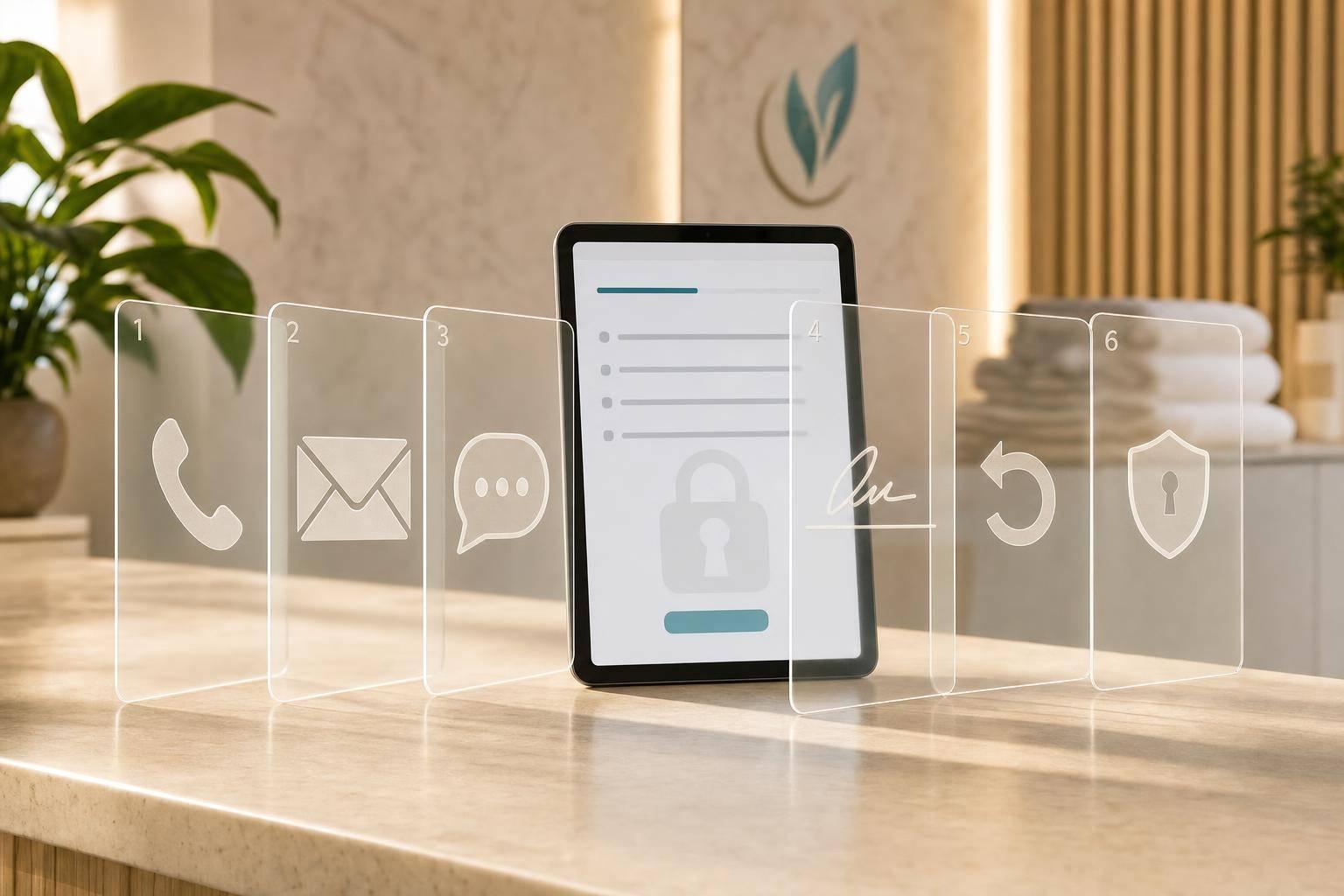

If your med spa stores consent in different tools, you’re more likely to miss an opt-out, send the wrong message, or lose track of what a patient approved. I’d fix that with one clear workflow: collect consent at intake, store channel choices as fields, use signed forms when needed, check consent before messages go out, log revocations when received, and limit staff access by role.
Here’s the article in plain English:
- Step 1: Keep lead forms short and avoid medical details on public forms.
- Step 2: Let patients choose email, SMS, phone, voicemail, and portal one by one.
- Step 3: Use signed forms for non-routine outreach, like marketing.
- Step 4: Make each message trigger check consent first.
- Step 5: Treat revocations as new records and update them when your practice receives them.
- Step 6: Restrict who can view or edit consent data.
A few points stand out:
- HIPAA draws a line between routine care use and written authorization for non-routine use.
- Patients can revoke an authorization in writing, and it applies when you receive it.
- SMS and voicemail should use very little detail, even when permission exists.
- Consent works better when stored as fields like
sms_reminders=Yoremail_marketing=Ninstead of buried in notes.
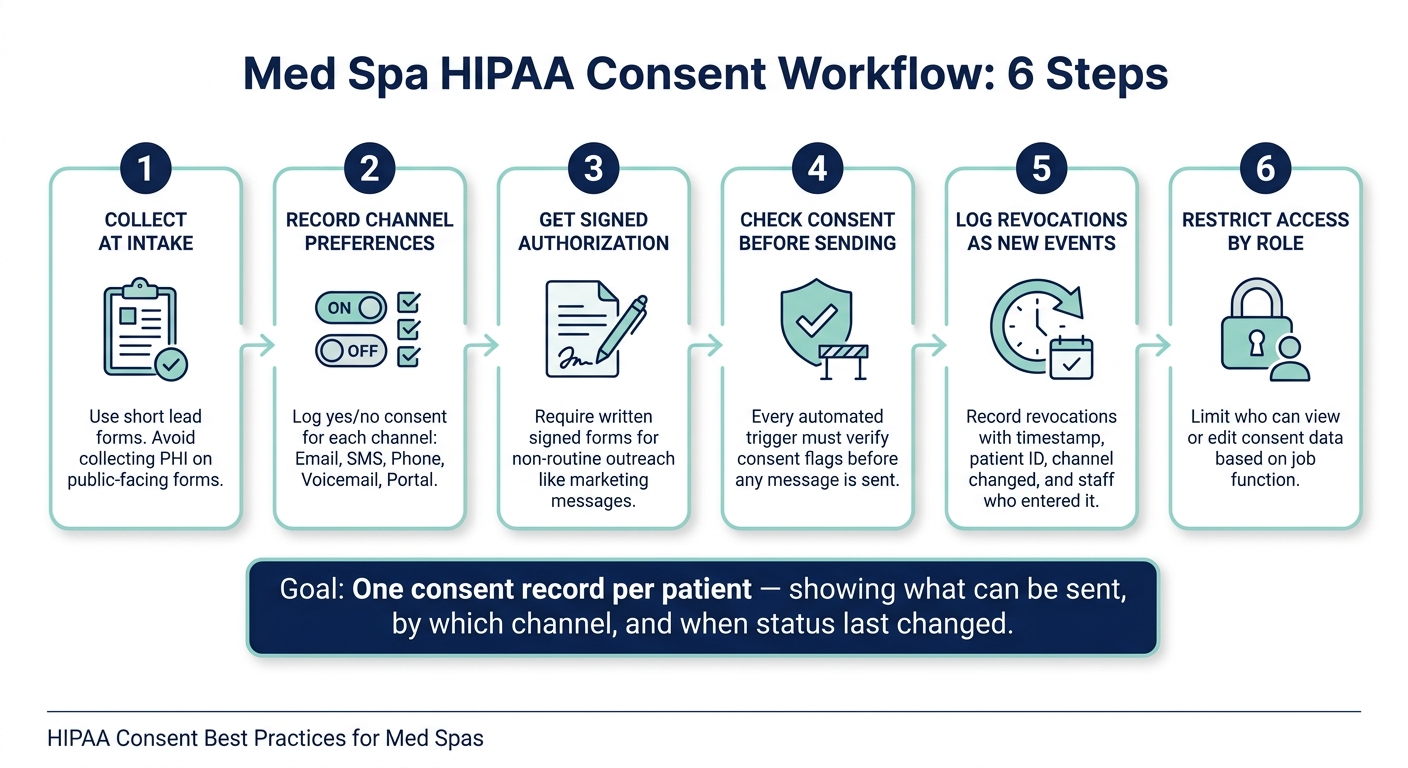
Med Spa HIPAA Consent Workflow: 6 Steps to Stay Compliant
Quick comparison
| Step | What I’d do | Main goal |
|---|---|---|
| 1 | Use short lead forms | Avoid collecting extra PHI too soon |
| 2 | Record each channel choice separately | Know what can be sent and where |
| 3 | Get signed forms for non-routine messages | Keep a record of written permission |
| 4 | Check consent before automation sends | Stop messages that should not go out |
| 5 | Log revocations as new events | Keep records current |
| 6 | Set role-based access | Limit who sees and changes consent |
One stat-like truth runs through the whole piece: there should be one consent record per patient that shows what your team can send, by channel, and when that status changed. That’s the core idea I’d carry into the rest of the article.
sbb-itb-02f5876
Steps 1–2: Collect Consent at Intake and Record Channel Preferences
Step 1: Lead Forms and Intake Packets
Start at the first inquiry. If someone fills out a contact form on your website or replies to a social lead ad, that becomes your first data point. Handle it with care.
Keep lead forms lean. At this stage, collect only what you need:
- First and last name
- Phone number
- Email address
- Basic contact details
Don't ask for medical history, medications, or conditions on a public form. Move that information into a secure intake packet instead.
Each lead form should include a short disclosure that explains what information is being collected and how it will be used. Link to the Notice of Privacy Practices, and make it clear that marketing or other non-routine messages need a separate signed authorization.
Once a patient moves from inquiry to consultation, shift them into a secured intake packet. That's where you gather medical history, allergies, procedure-specific risks, and formal consent documents. Public lead forms and secured intake packets should stay separate.
Then, during intake, collect consent for each communication channel.
Step 2: Channel-by-Channel Consent Choices
Use separate consent fields for each channel. Patients should be able to say yes or no to each one on its own, and those choices should be stored as structured data, not buried in notes.
During intake, show a clear form with channel-by-channel choices. For each option - email, SMS, phone calls, voicemail, and patient portal messages - patients should see what that channel is used for and make a separate yes/no choice. Keep operational messages apart from marketing messages. A patient may be fine with SMS reminders but block promo texts. That keeps reminders and promo messages in their own lanes.
Store these choices as structured fields on the patient's profile, such as sms_operational=Y, sms_marketing=N, voicemail=N, portal=Y. This lets staff and automated systems check permissions before a message goes out. Even if consent is on file, use minimum-detail rules for SMS and voicemail. A simple appointment reminder works. Treatment specifics do not.
Every consent event should be timestamped and logged with the method used, whether that was a digital form, paper form, or staff-documented verbal consent. If a patient later disputes consent, you'll want a record that shows exactly what they agreed to and when.
Using Prospyr to Centralize Intake and Preference Capture
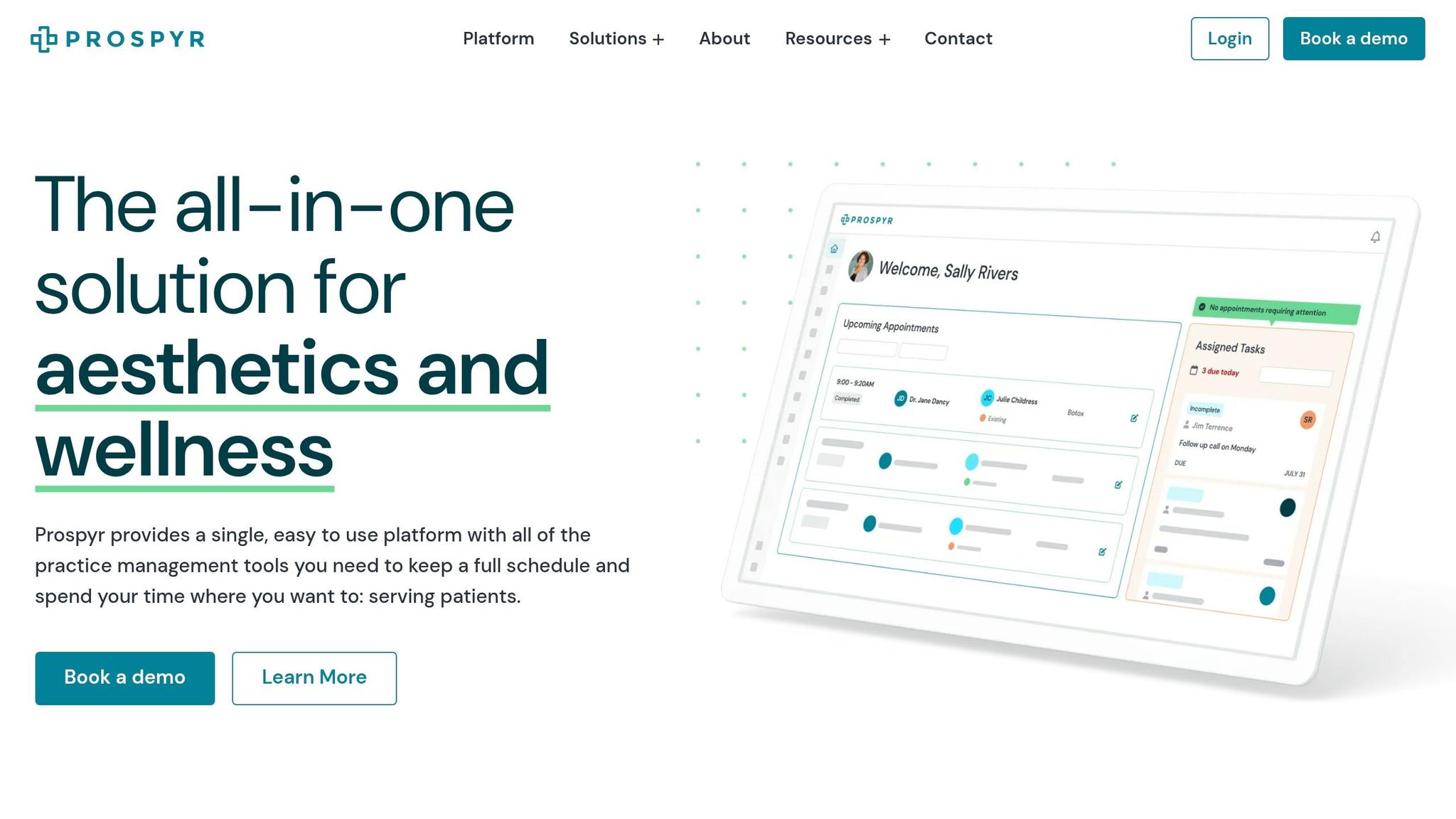
Prospyr's digital intake forms and lead capture tools let med spas collect basic contact information from website forms or social campaigns, then move patients into secured, detailed intake packets once they schedule a consultation. Communication preferences - email, SMS, phone, voicemail, portal - are stored as discrete fields tied to each patient's profile, and the platform stores consent timestamps and patient preference fields in one record.
Use workflow rules to check consent flags before any message is sent. That way, promotional texts are automatically suppressed for patients who only opted in for appointment reminders. That's the part that makes this process work in day-to-day use: intake data and outbound communication stay connected.
Next, lock these preferences into signed forms and automation rules.
Steps 3–4: Get Signed Forms and Connect Consent to Automation
Step 3: Signed Forms and Consent Logging
Once preferences are on file, turn the ones that need written permission into signed forms. Keep structured channel preferences on the patient profile. Use signed authorization only for messages that call for it, such as non-routine outreach like marketing. That split matters. It keeps routine reminders separate from marketing consent.
For non-routine outreach, use a signed authorization that names the patient, the PHI, the disclosing party, the recipient, the purpose, the expiration, and the signature/date. It should also explain the patient's right to revoke in writing and how to do it, or point to the notice of privacy practices. Skip vague wording like all medical records. Spell out the exact message type or channel instead. Appointment reminder texts to the mobile number on file is much clearer than a catch-all phrase.
Write forms at a 6th- to 8th-grade reading level. Keep treatment consent separate from marketing authorization, so a patient can say yes to appointment reminders without also saying yes to promo emails. Use separate checkboxes and signature lines for each consent type. Add version numbers and update dates to every form so policy changes are easy to trace.
Each signed form should also create a logged consent event. That log entry needs to include:
- patient ID
- exact date and time
- document version and update date
- capture method, such as an in-clinic tablet, online intake form, or paper form scan
- scope of consent
- who captured it, whether front-desk staff or the self-service portal
For digital signatures, log the IP address or device ID and the e-signature certificate details.
Digital forms cut down intake time and leave a cleaner audit trail.
Step 4: Automation Triggers That Check Consent First
Every trigger - new lead, booked consult, reschedule, treatment complete, follow-up due, renewal due - needs to check channel consent and minimum necessary detail before sending. Same rule, every automated send.
In practice, that means a post-treatment follow-up email should check the right post-care consent flag before it goes out. The message itself should include only what's needed for care: aftercare instructions, not a procedure summary or any mention of the patient's diagnosis. For SMS, keep it plain: date, time, clinic name, and a generic phrase like your appointment instead of the treatment name. If a trigger fires and the needed consent flag isn't there, suppress the message or send the patient to a more private channel like the patient portal.
Appointment reminders are generally allowed without specific HIPAA authorization because they are treatment-related communications, but once you add promo language or sponsored marketing, the message can become marketing that needs prior written authorization. A confirmation text is treatment-related; add an offer and it becomes marketing.
Where Prospyr Fits Into Workflow Enforcement
Prospyr applies the consent flags collected during intake across each automated workflow. When a trigger fires, the platform checks the patient's channel consent fields before any message is sent.
- Appointment and follow-up triggers check the related SMS or email consent flag and suppress the message - or route it to the patient portal - if the flag is false.
- Post-treatment outreach checks the post-care consent flag and limits content to aftercare instructions, with no treatment history or diagnosis included.
- Membership and marketing triggers cross-check the marketing consent flag and automatically exclude any patient who has not opted in.
When consent changes, those flags need to update across every active workflow. Those same flags then feed the revocation and access-control rules in the next step.
Steps 5–6: Handle Revocations and Set Team Access Rules
Step 5: Revocation and Consent Updates
Once your automation runs on consent flags, revocation handling finishes the job.
A revocation takes effect when your practice receives it - not when a patient sends it somewhere else. If a patient sends a revocation to a third party, it does not apply to your practice until you actually get it. After you receive it, stop any future use or disclosure tied to that authorization. You do not have to reverse disclosures that already happened under a valid authorization.
It helps to treat each revocation as a new consent event, not as erasing the old record. That means logging:
- the date and time received
- the patient’s identity
- the authorization or channel being changed
- who entered the update
- whether it’s a full revocation or a partial change
That last point matters. If a patient opts out of SMS promotions but still wants appointment reminders, record those as separate choices. Leave any unaffected permissions in place.
Set a written turnaround standard for revocation requests, and give each request one clear owner. Otherwise, things can slip through the cracks.
Step 6: Team Access Rules and Minimum-Necessary Use
After revocations are logged, limit who can view or change consent data.
Role-based access should line up with each person’s job. Front desk staff may need to see appointment-related preferences. Providers may need care-related consent. Marketing coordinators may only need to know whether promo outreach is allowed. Managers or compliance leads may need edit access and audit visibility. The tighter the access, the easier it is to spot changes that shouldn’t have happened.
Audit logs should be part of normal daily work. Every view, edit, or revocation entry should include a timestamp, a user ID, and, when available, the reason or source. Review those logs on a regular basis so you can catch missed updates or edits that don’t look right.
Staff training should cover three plain things:
- where consent status lives in the system
- how to check current preferences before any outreach
- what to do when a patient submits a written revocation or asks for a channel-specific opt-out
If someone changes roles or leaves the practice, remove access right away.
Centralizing Revocation Workflows in Prospyr
Use the same consent records to manage revocations and team permissions.
Prospyr keeps consent flags, revocation records, and role-based access in one place. If a patient updates a preference - like opting out of promo texts - that update moves into scheduling, messaging, and follow-up workflows without manual re-entry across separate tools. Role permissions limit what each staff member can view or edit based on job function, which helps support the minimum necessary standard.
Keeping revocations, partial opt-outs, and audit history in one record makes day-to-day work much easier to track.
Prospyr supports your clinic’s policy; it doesn’t replace it. Your team still needs clear rules for who can edit consent, how revocations move through the process, and how exceptions are handled. The platform then helps carry out those rules in daily use once they’re set.
Conclusion: Apply This 6-Step Consent Workflow in Your Med Spa
From the lead form to follow-up care, the workflow stays the same at each stage. One step leads to the next: capture consent, log preferences, sign forms, gate automation, process revocations, and limit access by role.
When that setup is in place, the process gets easier to follow and enforce. Standard consent rules cut down on one-off calls and help lower the risk of sending the wrong message to the wrong person.
The fastest way to fix gaps is to audit the workflow now. Run a quick review this week:
- Map where consent is collected
- Check that channel preferences are documented
- Confirm revocations update everywhere they should
The goal is simple: one consent record should tell your staff what they can send, which channel they can use, and when that status changed.
You can start small. For example, add separate SMS and email checkboxes, log e-signatures, or tighten role-based permissions for marketing staff.
If you want to put those controls in one place, Prospyr can centralize digital intake forms, consent records, communication preferences, automation rules, and role-based access in one HIPAA-compliant system.
FAQs
When is written HIPAA authorization required?
HIPAA requires written authorization when protected health information is used or disclosed outside routine treatment, payment, or health care operations.
That covers situations like:
- marketing
- research
- sharing information with third parties such as insurers
- using patient photos in public marketing
Routine appointment reminders are different. They don't need formal authorization as long as the patient’s preferred contact methods are documented.
How should a med spa handle partial opt-outs?
Use consent forms with separate categories for each permission, such as treatment authorization, marketing communications, third-party data sharing, and before-and-after photos. That way, patients can revoke one permission without canceling the rest.
If you receive a partial revocation, record the date, time, which consents were withdrawn, and how the request came in. Then update the patient record, send written confirmation within 24 to 48 hours, and notify the right teams and vendors so they stop ONLY those specific activities.
What should be included in SMS and voicemail messages?
Keep SMS and voicemail messages short, professional, and free of sensitive PHI. These channels work best for admin tasks like appointment reminders, general practice updates, or telling patients to check a secure portal.
Include your practice name and contact details. For SMS, keep the message under 160 characters, add an opt-out line such as "Reply STOP to opt out", and use neutral wording that avoids procedures or other medical details.