
v1.6.92
Reorganized Notes tab with Clinical/Office separation, out-of-stock alerts on invoices, perpetual membership discounts, and unlimited homepage tasks.
v1.6.92
Released on February 10, 2026
Highlights
-
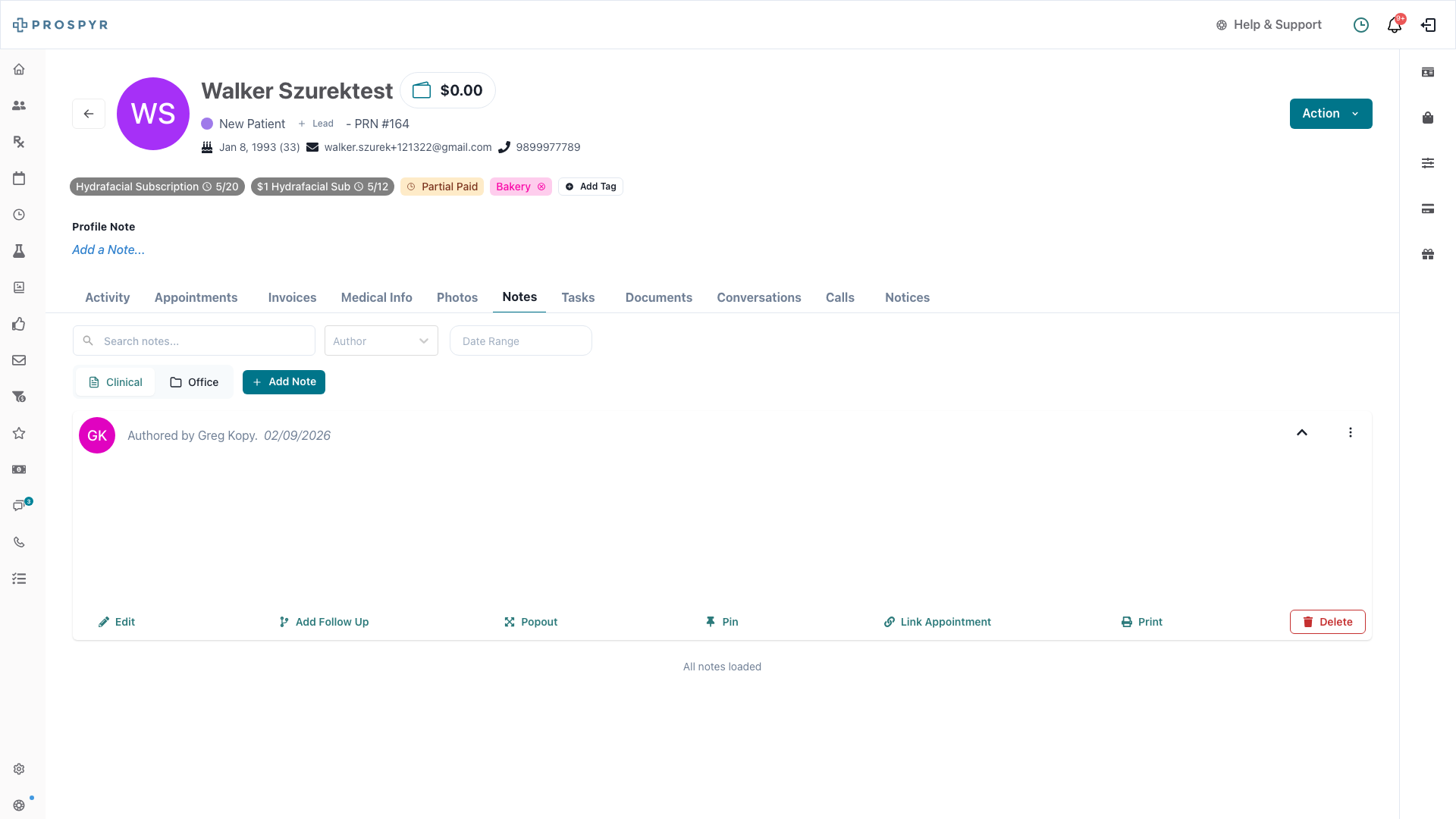
Clinical & Office Notes Separated
The Notes section in patient profiles now has two tabs: Clinical and Office. Clinical staff can quickly find medical notes while admin staff can focus on office-related items.
-
Out-of-Stock Alerts on Invoices
When you add a product to an invoice that’s low or out of stock at your location, you’ll now see a clear warning. Staff with permissions can override if needed.
- Warning banner appears when inventory is insufficient
- “Out of Stock” or “Insufficient Stock” badges make the issue obvious
- Override button available for authorized staff
New Features
-
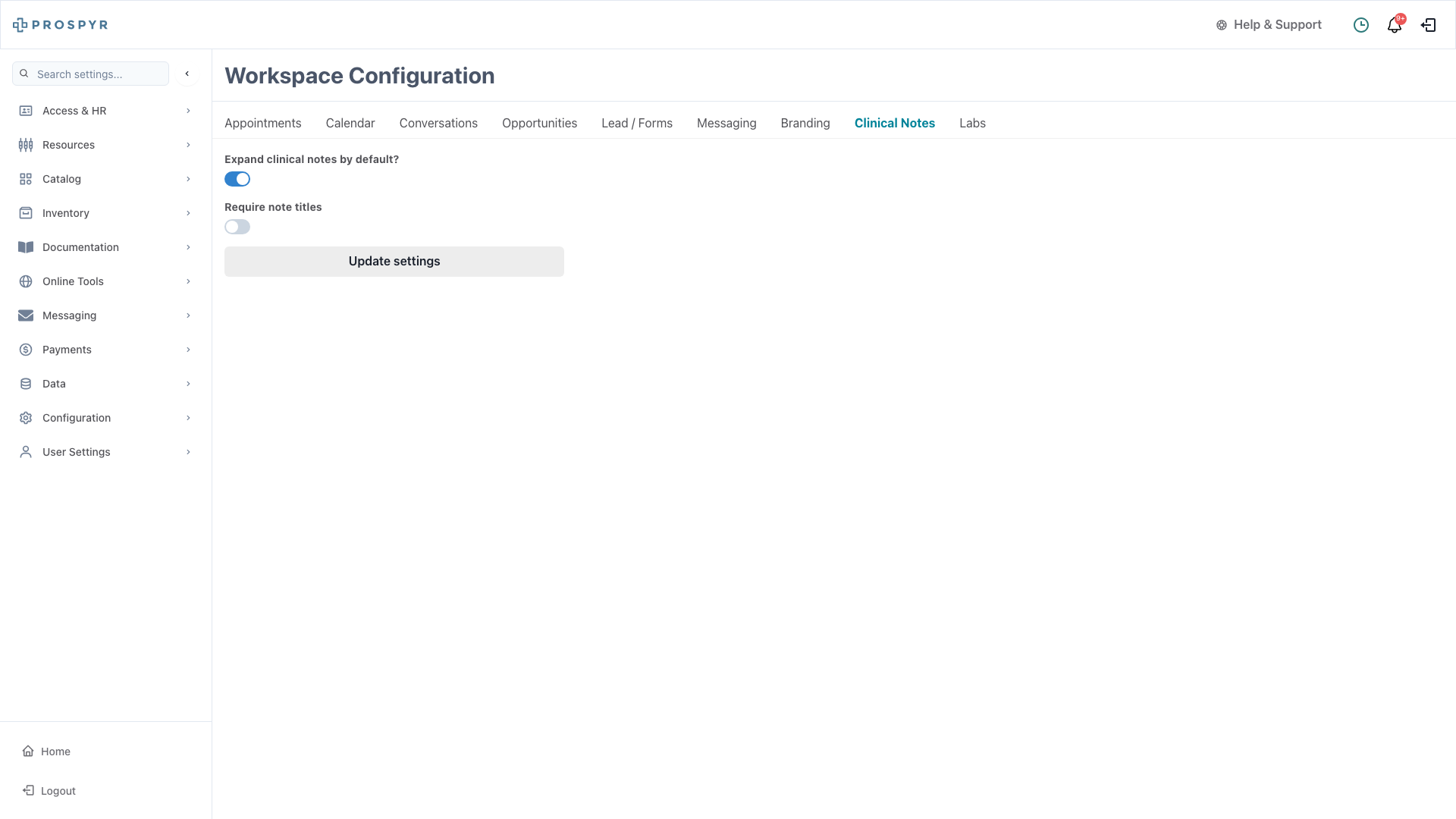
Require Note Titles
A new workspace setting lets you require staff to add a title to every note. Find it in Settings > Configuration > Clinical Notes.
-
Perpetual Membership Discounts
Apply ongoing discounts to patient memberships that automatically carry over each billing cycle. Choose fixed dollar or percentage amounts.
-
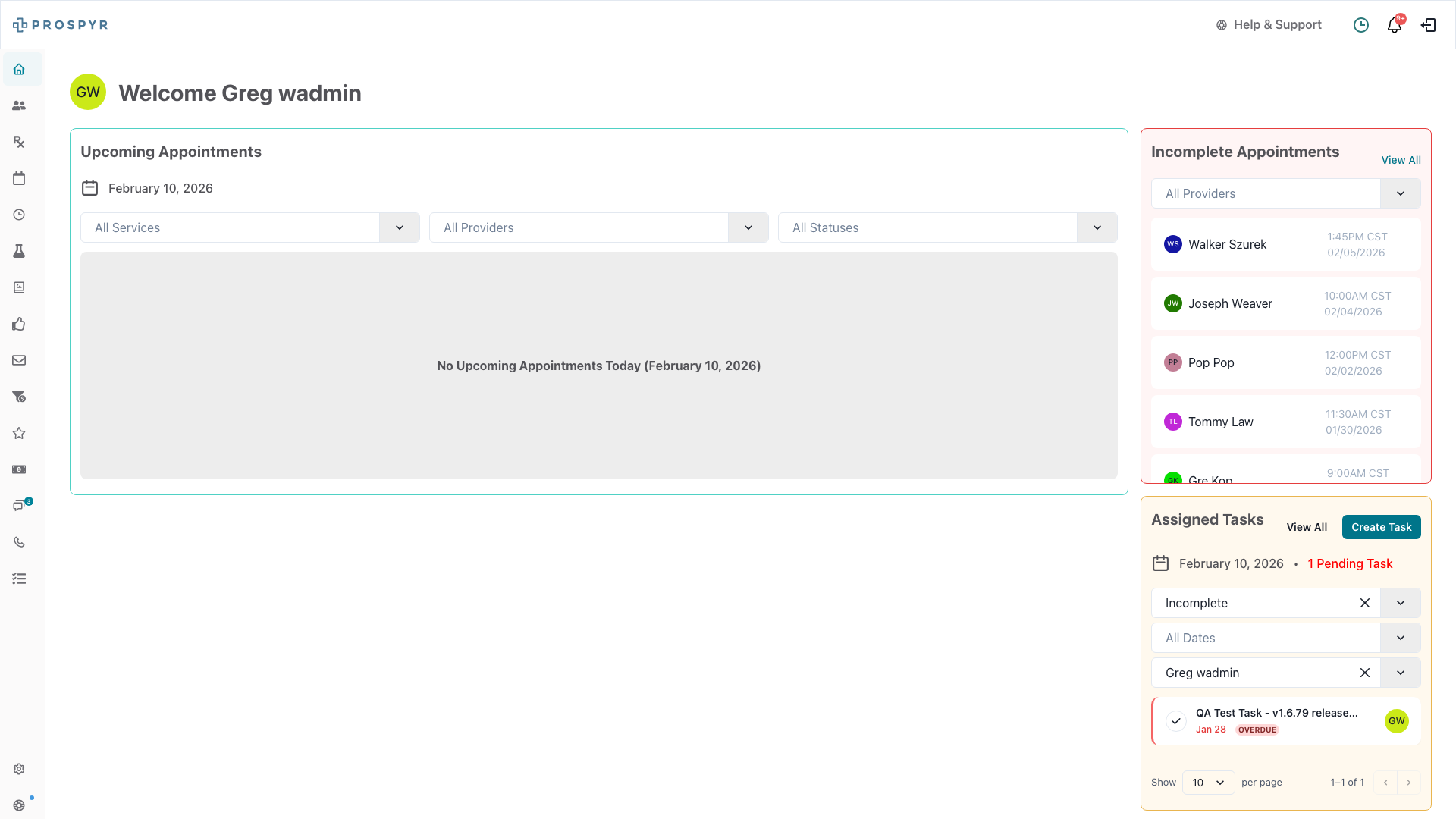
All Tasks Visible on Homepage
The homepage tasks widget now shows all your assigned tasks without a limit — no more pagination cutting off your to-do list.
Improvements
-
Note Audit Log Comparison
A new visual comparison tool shows changes between note versions with side-by-side highlighting, making it easy to see what was edited.
Bug Fixes
-
Pre/Post Care Messages
Fixed issues with scheduling pre-care and post-care messages for appointments.
-
Appointments List
Fixed a pagination issue that could prevent all appointments from loading when scrolling through long lists.